
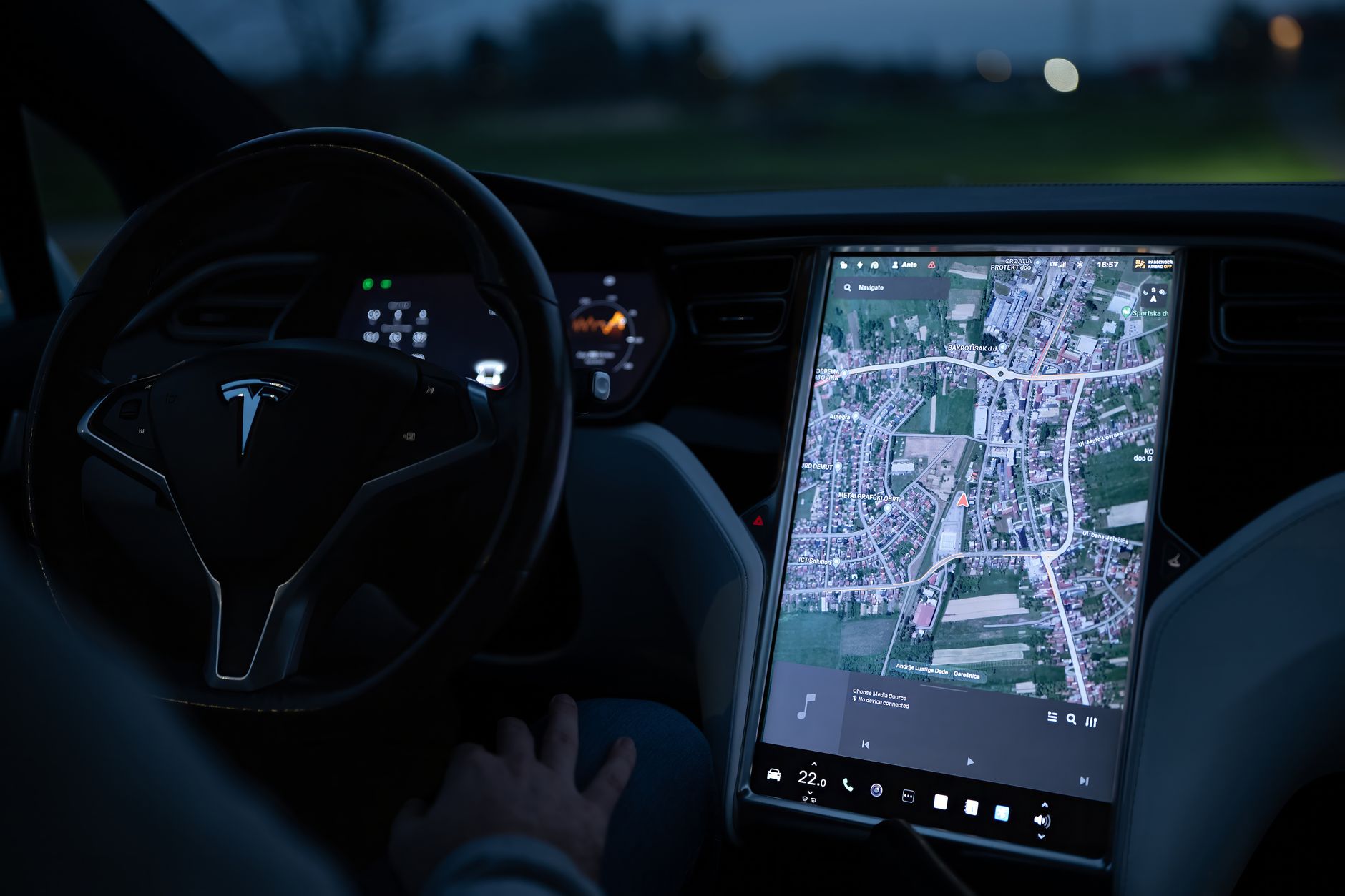
A Tesla road trip planner needs to solve two different problems. The first is vehicle-aware routing: where to charge, how long to stop, and how much energy you may have on arrival. The second is the trip itself: where to sleep, which attractions fit each day, when to eat, and how much spare time to leave when plans change.
Tesla Trip Planner is built for the first job. Tesla's current Maps and Navigation owner-manual page says it can add Supercharger stops when charging is required, recommend charging times, and estimate arrival energy. That makes the car's navigation the right source for the live charging route. It is not a complete vacation schedule. For that wider plan, use an itinerary layer such as Travo's AI trip planner, then keep Tesla navigation in charge while you drive.
What Tesla Trip Planner does
After you enter a destination, Trip Planner can route through appropriate Supercharger locations when the car needs charging. The turn-by-turn list can show the suggested charging stops, recommended time at each stop, and estimated energy on arrival. Tesla also says that if you charge for a shorter or longer time, later charging estimates can adjust.
The navigation system also supports adding, deleting and reordering stops. In supported regions, a route can be edited in the Tesla mobile app and sent to the car. Availability and exact controls can differ by vehicle, software version and market, so check the owner manual for your model rather than relying on an old screenshot or video.
That live connection to the vehicle is the key advantage. A generic map does not know the same vehicle state. Treat the current route shown in the car as more important than a plan you saved several days earlier.
What it does not replace
A charging route is only one layer of a good road trip. It does not decide whether a museum visit fits after a long drive, whether your hotel check-in leaves enough time for dinner, or whether three scenic detours make the day exhausting. It also cannot verify every attraction's opening hours, reservation rules or seasonal access for you.
Your complete plan still needs:
- Daily anchors: overnight bases, booked activities and fixed arrival times.
- A realistic pace: driving, charging, meals, parking, check-in and rest.
- Flexible stops: optional viewpoints or walks that can be dropped without breaking the day.
- Independent checks: official opening hours, road alerts and reservation requirements.
- Backups: an alternative charger or activity when the preferred option is unavailable.
If you need the broader EV method first, read our electric vehicle road trip planner. For general route pacing, use this guide to plan a road trip step by step.
Tesla, ABRP, PlugShare and Travo: which tool does what?
| Tool | Best job | Use it for |
|---|---|---|
| Tesla Trip Planner | Vehicle-aware route and charging | Live navigation, Supercharger stops and current in-car estimates |
| A Better Routeplanner | Independent EV route scenarios | Comparing route and charging assumptions before departure |
| PlugShare | Charging-location research | Reviewing station details, recent community information and possible backups |
| Travo | Whole-trip itinerary | Organizing destinations, activities and overnight plans into days |
These tools are complements, not interchangeable competitors. ABRP describes its service as EV route planning adapted to a selected vehicle. PlugShare focuses on public charging locations and trip planning. Travo focuses on a personalized day-by-day itinerary. Tesla navigation remains the live driving layer for a Tesla.
How to plan a Tesla road trip step by step
1. Set the trip boundaries
Start with dates, origin, final destination and fixed bookings. Decide how much driving feels comfortable in one day before adding attractions. A route that is technically possible can still be a poor vacation if every day ends late.
2. Build the experience before optimizing the chargers
List the places that justify the trip and classify them as essential, optional or future-trip ideas. Choose overnight bases that reduce backtracking. Use an AI road trip planner to turn those constraints into a first day-by-day schedule, but verify every material detail with the official source.
3. Run the route through Tesla Trip Planner
Enter the destination and important route stops in the Tesla app or vehicle, depending on what is available for your model and region. Review the proposed Supercharger sequence and charging time. Do not copy those estimates permanently into a document and assume they will stay exact. Vehicle state, conditions and route updates can change them.
4. Match charging breaks to useful pauses
Look at where the charging stops fall in the day. A charging break may work well for a meal, a short walk or a simple rest. Avoid scheduling a timed attraction immediately after a charging stop unless the plan includes a generous buffer. The objective is not to make every minute productive. It is to keep the day resilient.
5. Research backups without creating two competing plans
Use PlugShare or another current charging directory to inspect possible backup locations and recent station information. ABRP can provide an independent route scenario. Keep one clear primary route, however. Multiple screenshots with different stops become confusing when the trip changes.
6. Put the final day structure in one itinerary
Record each overnight base, key activity, flexible stop and essential reservation. Keep charging guidance in Tesla navigation rather than duplicating every live estimate. To organize this layer, build the full Tesla road-trip itinerary in Travo and adjust the pace before departure.
A practical day-planning template
For each driving day, write down only the details that help you make decisions:
- Starting location and realistic departure window
- Destination or overnight base
- One essential activity and one optional stop
- Meal or rest window near the expected charging period
- Hotel check-in deadline or fixed reservation
- Official road, weather and venue checks to repeat that morning
- A simple fallback if arrival is later than planned
Do not hard-code a promised arrival battery percentage into the itinerary. Let the vehicle recalculate. The schedule should say what can move if the drive or charging stop takes longer.
Common Tesla road-trip planning mistakes
- Treating the first estimate as a guarantee: review the current in-car plan before and during the journey.
- Planning every stop as essential: optional stops protect the trip when timing changes.
- Using a generic map as the only charging source: use vehicle-aware routing for the live charging plan.
- Ignoring the hours after arrival: charging success does not make an overloaded evening realistic.
- Trusting stale prices or station details: check current information in the relevant app before departure.
- Forgetting a low-effort backup: keep an alternative activity and charging option in mind.
Is Tesla Trip Planner enough?
It can be enough for the driving and charging route. It is not enough for travelers who also want a coherent multi-day vacation plan. The strongest setup is simple: use Tesla for live navigation and charging, use specialist EV sources when you need an independent check, and use one itinerary for the rest of the trip.
That separation avoids a common mistake: asking one app to do every job. It also makes replanning easier. If charging or traffic changes the arrival time, you can remove an optional activity without rebuilding the entire journey.
Build the trip, then let the car manage the route
Plan the experience first, check the charging route second, and verify live details again when you leave. Start your day-by-day road-trip plan in Travo, then use Tesla Trip Planner as the vehicle-aware source while you drive.